
Monitor.CAT:
WordPress SEO, speed optimization, and diagnostics toolkit.
Analyze your content for search visibility and AI discoverability, optimize site performance automatically, and monitor system health — all from one WordPress dashboard. No external services, no accounts, everything runs locally.
Install once. Optimize everything.
Recommended: install from the WordPress Plugin Directory.


WordPress is powerful.
SEO and performance are harder to get right.
Missing meta tags hurt your search rankings. Unoptimized assets slow down page loads. AI crawlers can't extract your content properly. And without diagnostics, troubleshooting server issues means guesswork.
Monitor.CAT gives site owners a complete optimization toolkit. Install the plugin and get SEO analysis with AI-readiness scoring, automatic speed optimizations, and full system diagnostics — everything runs locally on your site.
- 13 SEO analyzers including GEO for AI discoverability
- Automatic speed optimizations and database cleanup
- System health diagnostics with 6 collectors
What you get after install
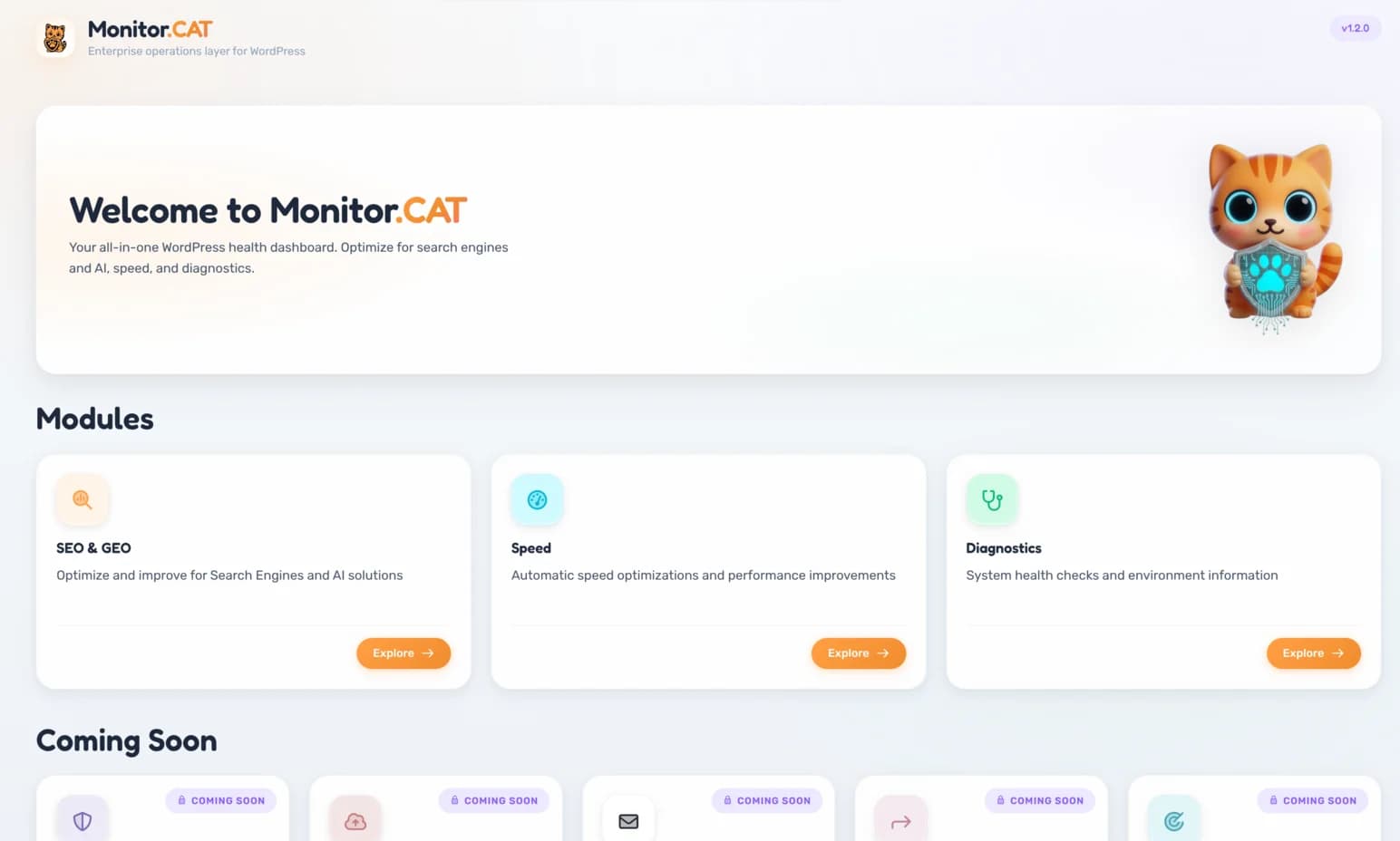
SEO & GEO Analysis
13 built-in analyzers for traditional SEO — meta tags, Open Graph, headings, schema, links, sitemaps — plus GEO scoring for AI discoverability, AI crawler optimization, and llms.txt support.
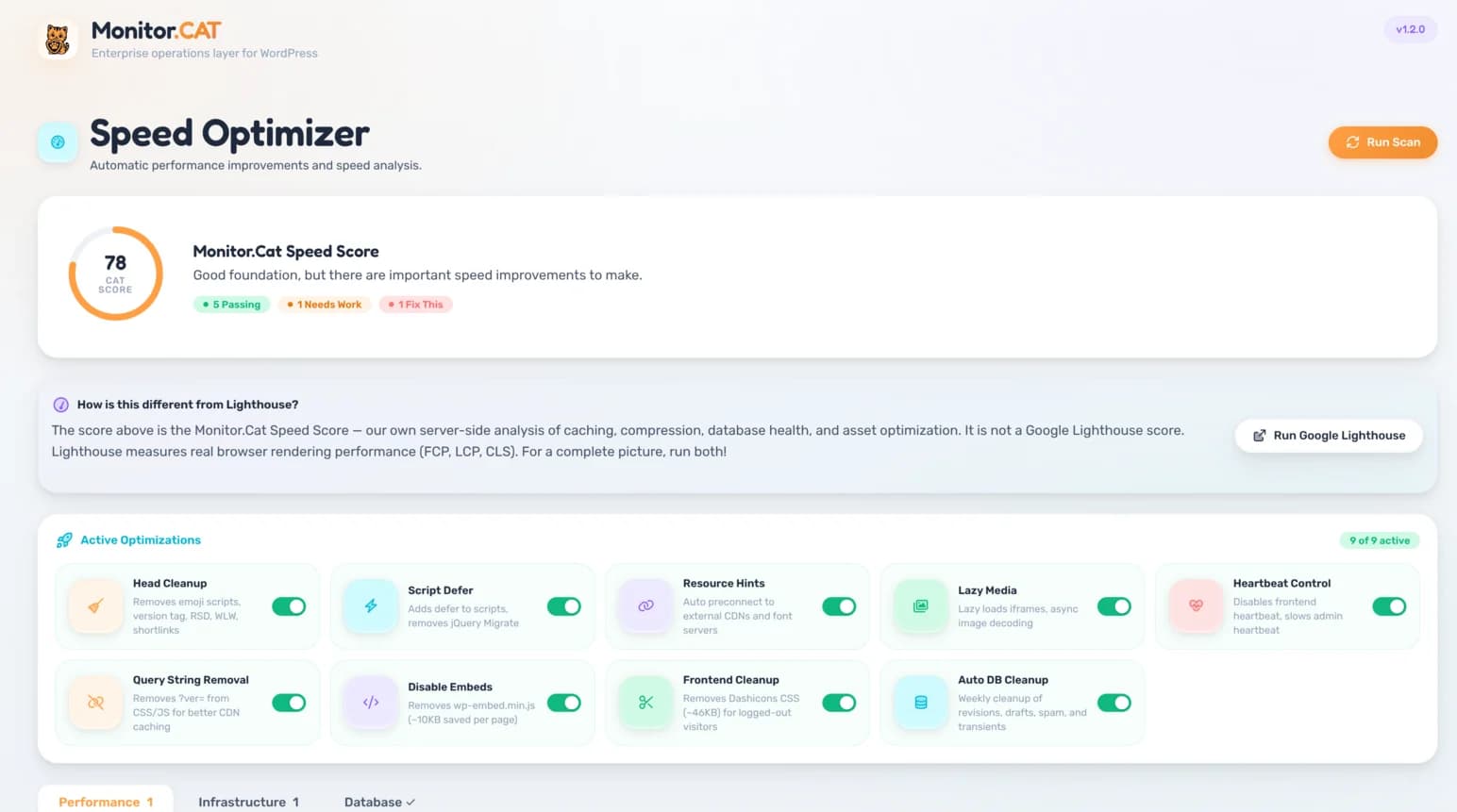
Speed Optimization
7 performance analyzers and 8 automatic frontend optimizers — script deferral, lazy loading, preloading, heartbeat control, query string removal — plus database cleanup with optional auto-scheduling.
System Diagnostics
6 system health collectors covering PHP, WordPress, database, server, plugins/themes, and health checks — cron status, REST API, permalinks, file permissions — all in one dashboard.
Made for three very real realities

You want better search rankings and faster pages without complexity. Monitor.CAT analyzes your content, auto-generates meta tags and schema markup, and optimizes your frontend — all with sensible defaults, no configuration required.
Install. Analyze. Optimize.
Monitor.CAT is a self-contained WordPress toolkit. Install the plugin, and it starts analyzing your SEO, optimizing your frontend performance, and collecting system diagnostics — all locally, with no accounts or external services.
Install
Install via WordPress.org or HTTPS ZIP upload. Activate and you're ready — no accounts, no setup wizard, no external connections.
Analyze
Run SEO analysis on any post or page. Get scored results across 13 analyzers — traditional SEO, AI discoverability, and compliance checks.
Optimize
Speed optimizations run automatically on every page load. Review diagnostics, clean up your database, and export system reports from one dashboard.
2-step setup. Full control.
Requires WordPress 6.0+ and PHP 8.0+ (you probably have that)
Step 1: Install the plugin
- 1In WordPress Admin, go to Plugins → Add New
- 2Search for
- 3Click Install Now, then Activate
- 2Go to Plugins → Add New → Upload Plugin
- 3Upload the ZIP, click Install Now → Activate
Verify integrity before upload — Security Notes
SHA-256: ebcc707f3e60ac3cdcec4f7d313c5dd75b285e5ba07bb724530df477965060dd
Step 2: Open the dashboard and start optimizing
- Open Monitor.CAT in your WordPress sidebar
- Run SEO analysis on your posts and pages — review scores across 13 analyzers
- Speed optimizations are already active — review settings to customize
No accounts, no pairing, no external connections. Everything runs on your server.
Don't see the Plugins menu? Your hosting setup may restrict plugin installs.
Secure by design. Easy to remove.
Monitor.CAT runs entirely on your WordPress installation. No data is transmitted to external servers. All analysis, optimization, and diagnostics happen locally.
Teams use Monitor.CAT to stay ahead of SEO and performance issues
The SEO analyzer caught missing Open Graph tags and schema markup across our entire blog. Took five minutes to audit what would have taken hours.
Automatic speed optimizations on every site — script deferral, lazy loading, database cleanup — without configuring each one manually.
The diagnostics export saved hours of back-and-forth with hosting support. Solid tooling.
Questions you're already thinking
(we get it)
Ready to optimize your WordPress site?
Install the plugin and get SEO analysis, speed optimization, and diagnostics in minutes. No accounts, no setup — everything runs locally. If it's not right for you, uninstall cleanly and move on.
WordPress.org install recommended. ZIP available with SHA-256 checksum.